
 Sign in
 Create Account

Firefox 83 introduces HTTPS-only mode

Mozilla Firefox 83 has a new HTTPS-only mode. When activated, the following happens:
- Firefox tries to establish secure connections with all the sites you visit;
- Firefox will ask your permission to visit sites that are accessible only via HTTP.
Today, sites that only use the insecure and outdated HTTP protocol are becoming increasingly rare. There are also many old links on the web that open over HTTP. If you follow such a link, the browser will take you to the HTTP version of the site.
HTTPS-only mode ensures that Firefox won't take you to HTTP sites without your explicit permission. All connections will be completely secure.
How to enable HTTPS-only mode
Enabling HTTPS-only mode in Firefox is easy:
- Go to the browser menu and select Preferences.
- Next, select the Privacy & Security section and go to the HTTPS-Only Mode section.
- Turn on HTTPS-Only Mode.
If the site is not accessible via HTTPS, you will see the following warning:
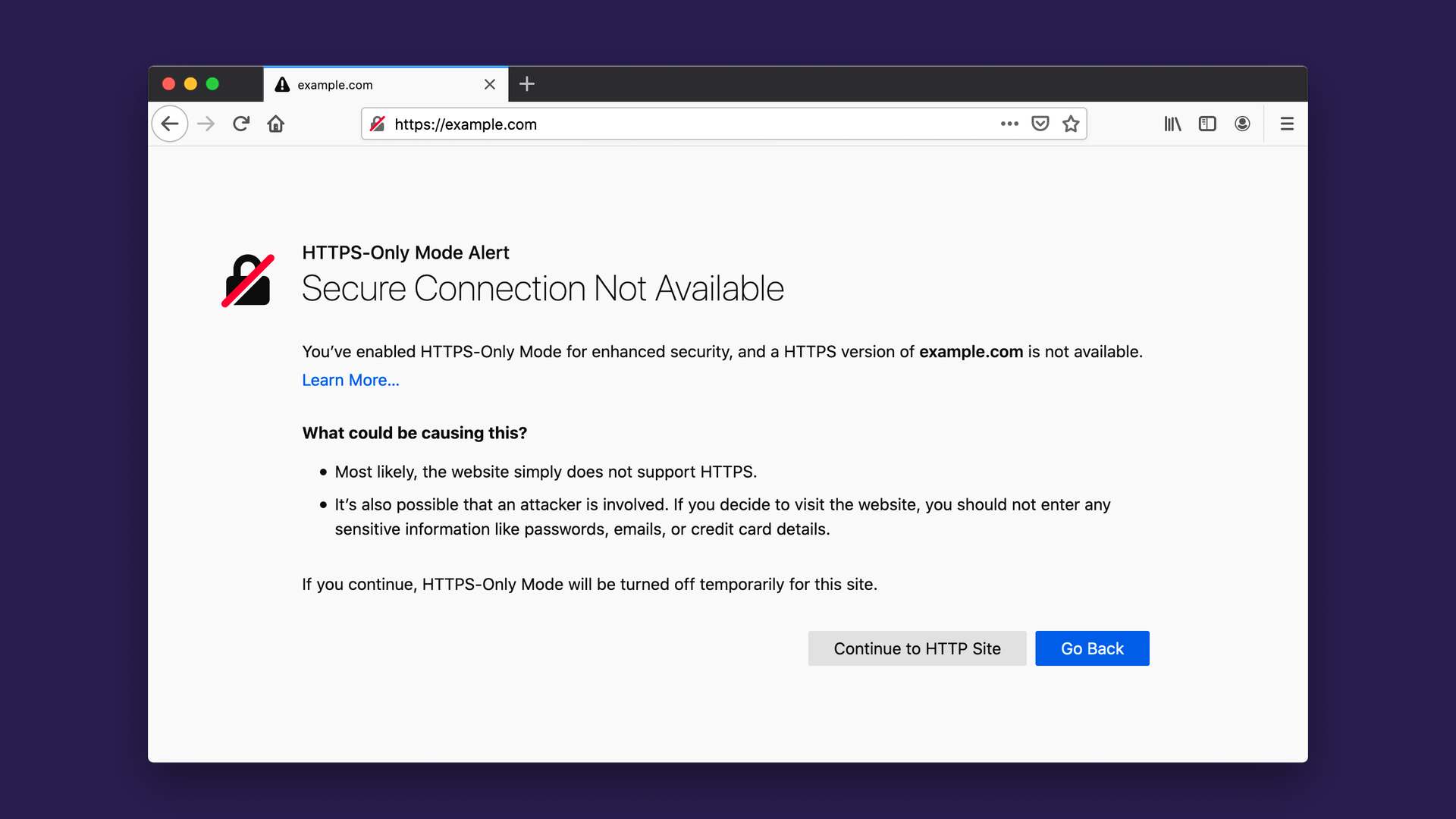
It can also happen that the site itself is accessible via HTTPS, but its internal resources are served via HTTP (mixed content error). For this reason, some pages of the site will look incorrect. In this case, you can temporarily disable HTTPS-only mode by clicking on the lock icon in your browser's address bar.
Subscribe to our newsletter to stay up to date with the latest news from the world of SSL and online security!


